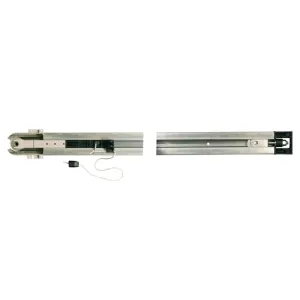
Category Garage automation accessories includes all components and equipment necessary for the installation, maintenance and optimization of automatic door and gate systems. These accessories allow precise access control, enhancing user comfort and safety. Depending on the type of garage or gate, you can choose accessories compatible with motors, remote controls, photocells, safety sensors or monitoring systems. The correct choice ensures smooth operation, reduces wear and tear of equipment and facilitates technical interventions. By integrating these accessories, automation systems become more efficient, safer and intuitive for users.
Essential components for automatic doors and gates
Accessories include remote controls, photocells, safety systems, clamps and supports. They ensure the complete functionality of the automation system and allow remote control or automated access flow.
The role of safe and comfortable accessories
The correct use of accessories reduces the risk of accidents and the mechanical wear of doors and doors. It also facilitates integration with other smart home systems or monitoring systems.
Where they are used
Residential garages
The accessories allow the rapid opening of doors, remote control and integration with motion sensors.
Parks and institutions
They are ideal for automatic barriers and access control, offering efficient solutions for intense traffic and increased security.
How it works
Integration of accessories into the system
Each accessory is designed to work with certain motors or control systems. For example, the photocells detect obstacles, and the remote controls transmit the signal to the central unit.
Practical benefits
Users enjoy complete automation, without physical effort, and safer access control.
Why They Are Important
Increased security
The accessories protect both the user and the equipment by locking systems and anti-lock sensors.
Sustainability and reliability
Choosing the right components reduces the risk of defects and increases the life of the system.
Advantages of use
- Easily remote control
- Safety for children and animals
- Compatibility with smart home systems
- Easy installation and maintenance
- Extension of the existing system functionality
Types of Garage Automation Accessories
Remote controls and keyboards
Allow remote opening/closing with unique codes for each user.
Photoclips and sensors
It detects obstacles and prevents accidents or damage to ports.
Mounting and maintenance accessories
Clamps, screws, supports and other parts necessary for the correct and sustainable installation.
Advanced control systems
Integration with mobile applications or smart home systems for monitoring and intuitive operation.
Differences between types/models
Standard vs. advanced
Standard models offer basic functions, while advanced models allow integration with mobile applications and complex automation.
Door and gate compatibility
It is essential to check compatibility with the engine and garage type to avoid operating problems.
How to choose correctly
Factors to be considered
Type of portion, frequency of use, safety required, technical compatibility.
Practical advice
Consult manufacturers' manuals and opt for certified and tested accessories.
Installation and commissioning
General mounting steps
- Verification of compatibility of accessories
- Installation of components according to instructions
- System functionality testing and calibration
Recommendations for professionals
Installation by qualified personnel ensures the optimal functioning and safety of users.
Maintenance and maintenance
Periodic checks
Cleaning of photocells, testing of remote controls and checking of mobile mechanisms.
Common problems and solutions
Mechanical locks, weak remote control signal or faulty sensors – repaired by revision and replacement parts.
Common errors
- Inadequate installation of sensors
- Use of incompatible accessories
- Failure to perform periodic maintenance
Professional recommendations
- Choice of original or certified accessories
- Consultation of smart home integration technicians
- Compliance with manufacturer's instructions
<
FAQ – Garage automation accessories
What accessories are essential for garage automation?
Remote controls, photocells, sensors and mounting accessories.
Can I install garage accessories on my own?
Some components can be installed DIY, but professional assembly is recommended for safety and functionality.
How do I choose accessories compatible with my garage?
Check engine type, port type and manufacturer specification.
How often should automation accessories be maintained?
Recommended review every 6–12 months, depending on the frequency of use.
What if the remote doesn't work?
Check batteries, signal and compatibility; if the problem persists, contact the technical service.
Can accessories be integrated with a smart home system?
Yes, advanced models allow integration with mobile applications and smart home systems.