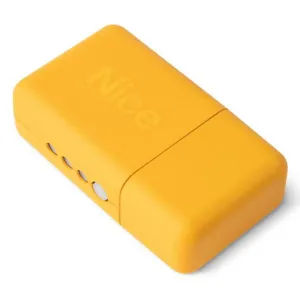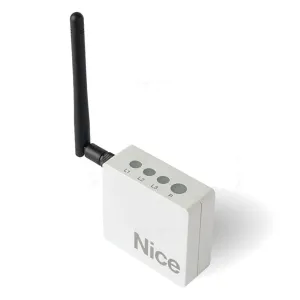
Nice IT4WIFI Wi-Fi control interface
548,52 lei
Made to order
Ord Request a quote – Nice IT4WIFI Wi-Fi control interface See options – Nice IT4WIFI Wi-Fi control interfaceWe use cookies strictly necessary for the operation of the site and, only with your consent, to remember the products seen and the YouTube videos. You can change your mind at any time from "Cookies Settings", in the sub-basement of the page. Cookie policy
Technical advice: 021 450 60 70 · Delivery throughout the country · Blog
Other interfaces are essential components for connecting, extending and integrating automation systems for gates, garage doors and barriers.
We didn't find any products for the chosen filters.
Category Other interfaces includes modules and adapters designed to facilitate communication between different components of automation systems. They can connect control stations, GSM controllers, code selectors, access control systems or other auxiliary equipment. Interfaces are essential when you want to expand functionality, integrate with existing systems or adapt automation to special requirements. Choosing the right interface contributes to the stability, safety and efficiency of the entire system.
Various interfaces allow the exchange of signals and information between different equipments in an automation system.
Ensure compatibility between devices and allow the addition of additional functions without major changes.
Used to extend the functions of doors and automatic doors in private homes.
Essential in parking lots, office buildings or industrial spaces where multiple integrations are needed.
The interface takes signals from one device and transmits them correctly to another compatible equipment.
Easy integration, expansion of functionality and adaptation of the system to new requirements.
Interfaces allow automation systems to be adapted to changing needs.
They make it possible to use multiple types of equipment and technologies simultaneously.
Allow the correct transmission of commands between different equipment.
They connect between power plants and systems such as selectors, GSM controllers or readers.
Allow to connect automations to smart systems or mobile applications.
Designed for intensive use and difficult conditions.
Standard interfaces offer basic functions, advanced ones allow complex integration and extended configuration.
Industrial models are more robust and support traffic and intensive use.
Compatibility with existing equipment, type of signal, desired functions and operating environment.
Consult the technical documentation and choose certified safety and reliability interfaces.
Installation by qualified personnel ensures compatibility and correct functioning.
Test connections, check signals and update configurations if necessary.
Weak connections, incompatibility or incorrect configuration – repaired by simple adjustments.
A mode that allows connection and communication between different equipment.
Not always, but they are essential for complex enlargements and integrations.
Yes, with the right interface, compatible with existing equipment.
Installation is simple for standard models, but for complex integrations it is recommended specialist.
Minimal, consisting of periodic check of connections.
Yes, there are dedicated interfaces for smart home integration.
Get our offers and news once a month. You can unsubscribe at any time.